What it uses. It uses Ultralytics YOLO26-seg, the small size, exactly as it downloads. It runs through PyTorch on this machine's built-in graphics. The weights download themselves the first time the model is used. What it does. It shows the model a survey picture from the top. It keeps the outlines that the model names as a drinking vessel. Then it throws the names away. What is fitted here. Nothing is fitted here. One setting, a confidence cut-off of 0.25, was chosen by hand. The main idea explains it. What it costs. It needs no labels, no training and no graphics card of its own. The only real cost is the licence, which the licence section explains.
The cell is described once, in the cell. This page covers only what is special to this solution.
Contents#
1. What it is, and what it scored#
This solution answers what this book asks for by downloading a model and running it. It collects no labels and trains nothing.
It got the worst score in the book by a wide margin. Results and comparison gives the numbers and explains why. The low score is still useful, because it is a measurement.
Every other solution that uses a model has to pay first. It needs labelled pictures, a training run, and a weights file that must be trained again when the cell changes. This solution pays none of that. Its model was already trained on photographs of everyday scenes. Its list of names already contains drinking vessels. So it can answer on the first picture, without ever seeing this cell.
This makes it the cheapest of the six to try. It is also the starting point for the same model, fine-tuned, which trains these same weights further on this cell's pictures. That page explains what the gap between the two measures.
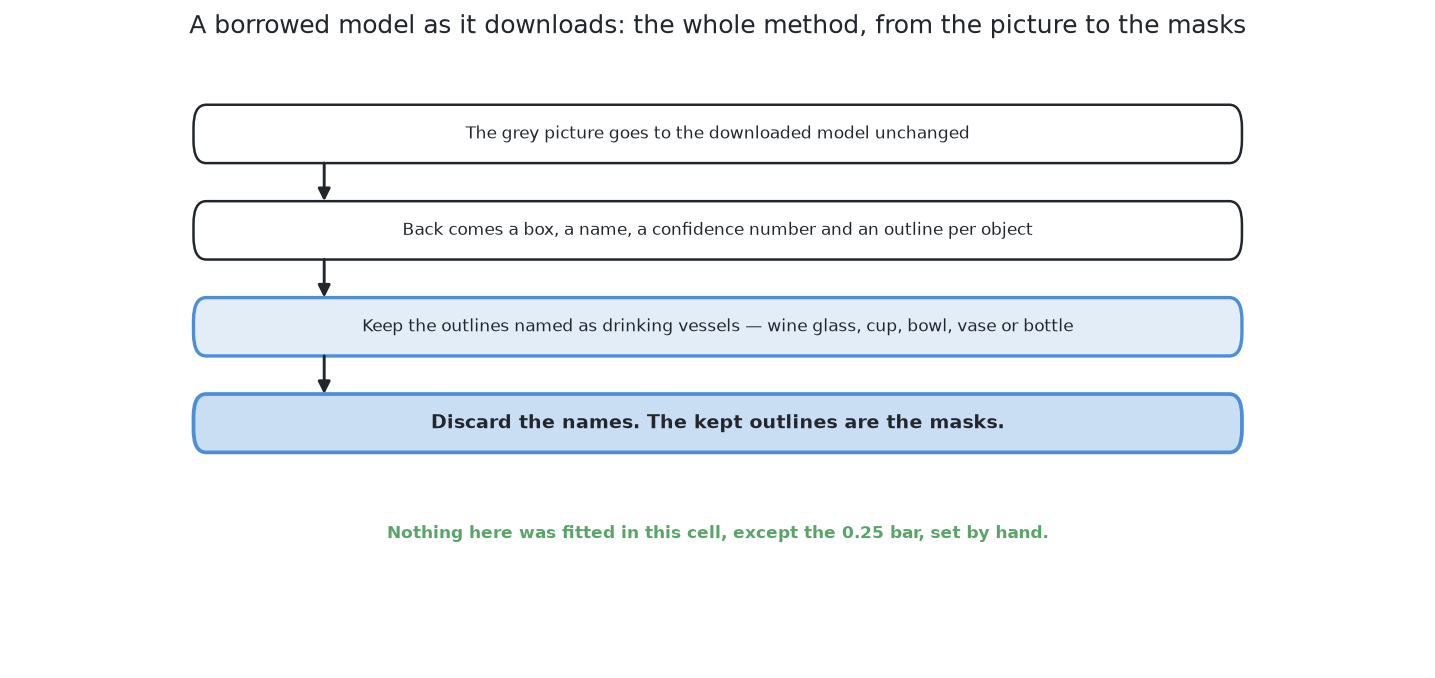
The next section shows the steps the solution takes with each picture.
2. The main idea#
The section above said what the solution is. This section shows how it works, in three steps. Only the first two steps belong to this solution.
First, run the borrowed model on the survey picture from the top. It is an instance segmentation model. This means it returns four things for each object it finds:
- a box around the object;
- a name from a fixed list;
- a number that says how sure it is, called the confidence;
- an outline of the pixels that belong to that object.
The outline is why this kind of model is worth trying here. The hard part of this problem is two glasses whose shapes join in the picture. A model of this kind gives one outline per object, not one per joined shape.
Second, keep the outlines whose name is a drinking vessel. Everything else is dropped. This step is where the solution fails. Why it failed shows the names the model used instead.
This step also checks the confidence. An outline is kept only when two things are true. Its name is on the list of drinking vessels. Its confidence is 0.25 or more. For example, a "cup" with confidence 0.6 is kept. A "cup" with confidence 0.1 is dropped. A "frisbee" is always dropped.
The code checks the cut-off twice, as the code shows. The model is told the cut-off, so it does not build outlines below it. The filter checks it again, so the decision belongs to this solution and can be tested.
The value 0.25 was not fitted. It is the default value in Ultralytics. It was checked by eye on the training arrangements to make sure it was not clearly wrong. The model learned its confidence on photographs, so here a confidence is not a probability. Only the order of the scores is useful. Calibration under changed input explains this.
Third, hand the kept outlines to the shared arithmetic. The examiner turns each mask into a place on the table and a width, in the same way for every solution. How a mask becomes a record shows how.
So the whole solution is the first two steps. The second step is a filter on a list of names. This solution has no numbers fitted in this cell at all. The next page shows the code that does these steps.
← A network trained here from scratch — how it compares · The code →